
Freelance
ForgeStop
From the seal on the bottle to the shipment map: authenticity you can trace
Overview
Miami-based ForgeStop makes NFC and RFID smart seals that prove a product is genuine. Consumers just tap their phone on the seal to confirm authenticity, with no app to download, and the seal also flags whether the package has been opened. The solution is used mostly where counterfeiting is costly: pharmaceuticals and high-value drinks, such as wine and spirits. But the seal is only the visible tip. Beyond distributing it, ForgeStop wanted brands to monitor shipments through the platform and customize what consumers see when they look up a product: the batch, the route it took and even production data, in line with the digital product passport required in Europe. We redesigned parts of that platform: the authentication screen editor, the product page and batch and scan tracking.
Four screens, one brand
An editor with a live preview for brands to set up each consumer moment: verify, authentic, retry and tampered package.
Batches with a status
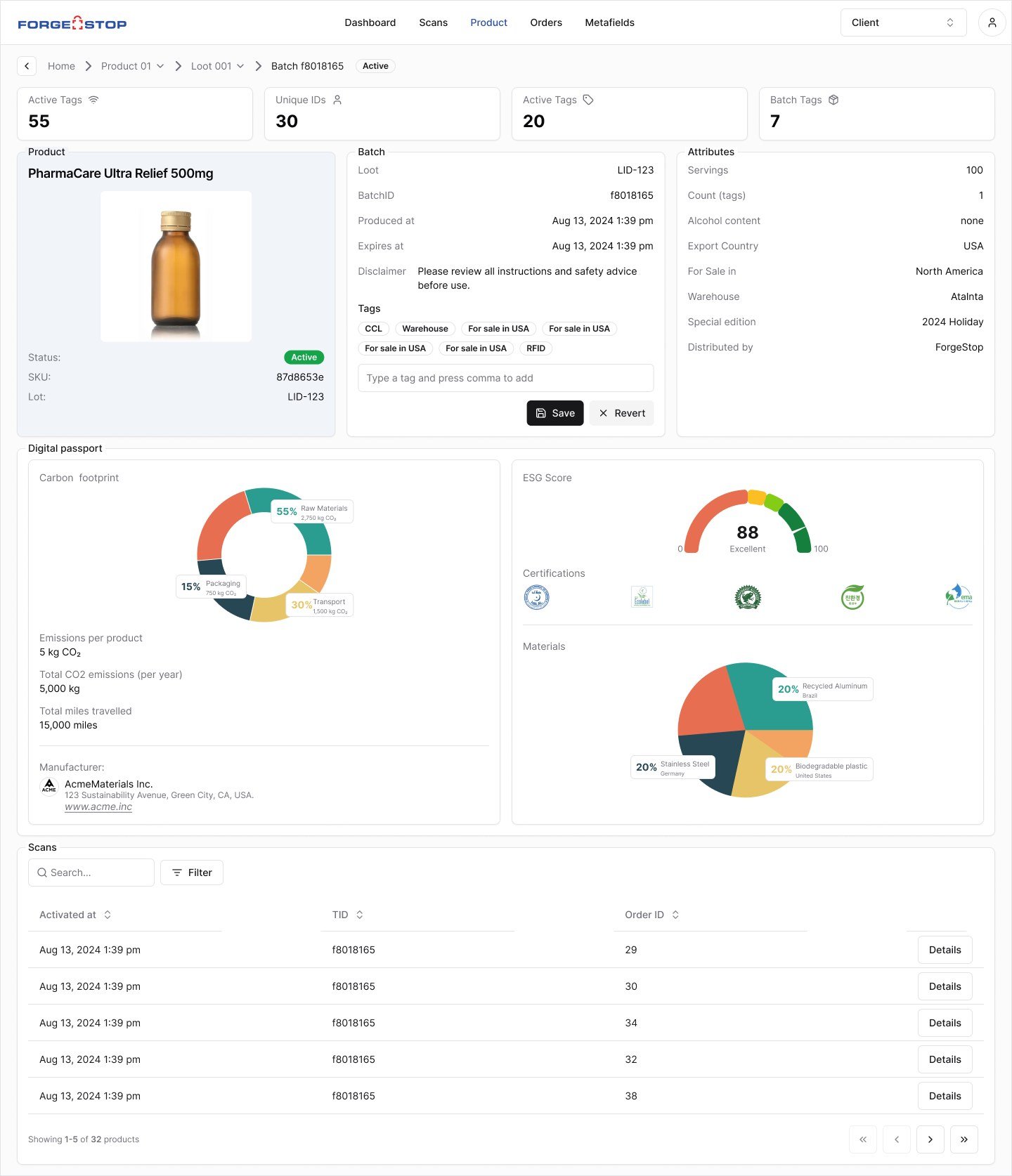
Each batch shows whether it is active, flagged as counterfeit or recalled.
The route of every scan
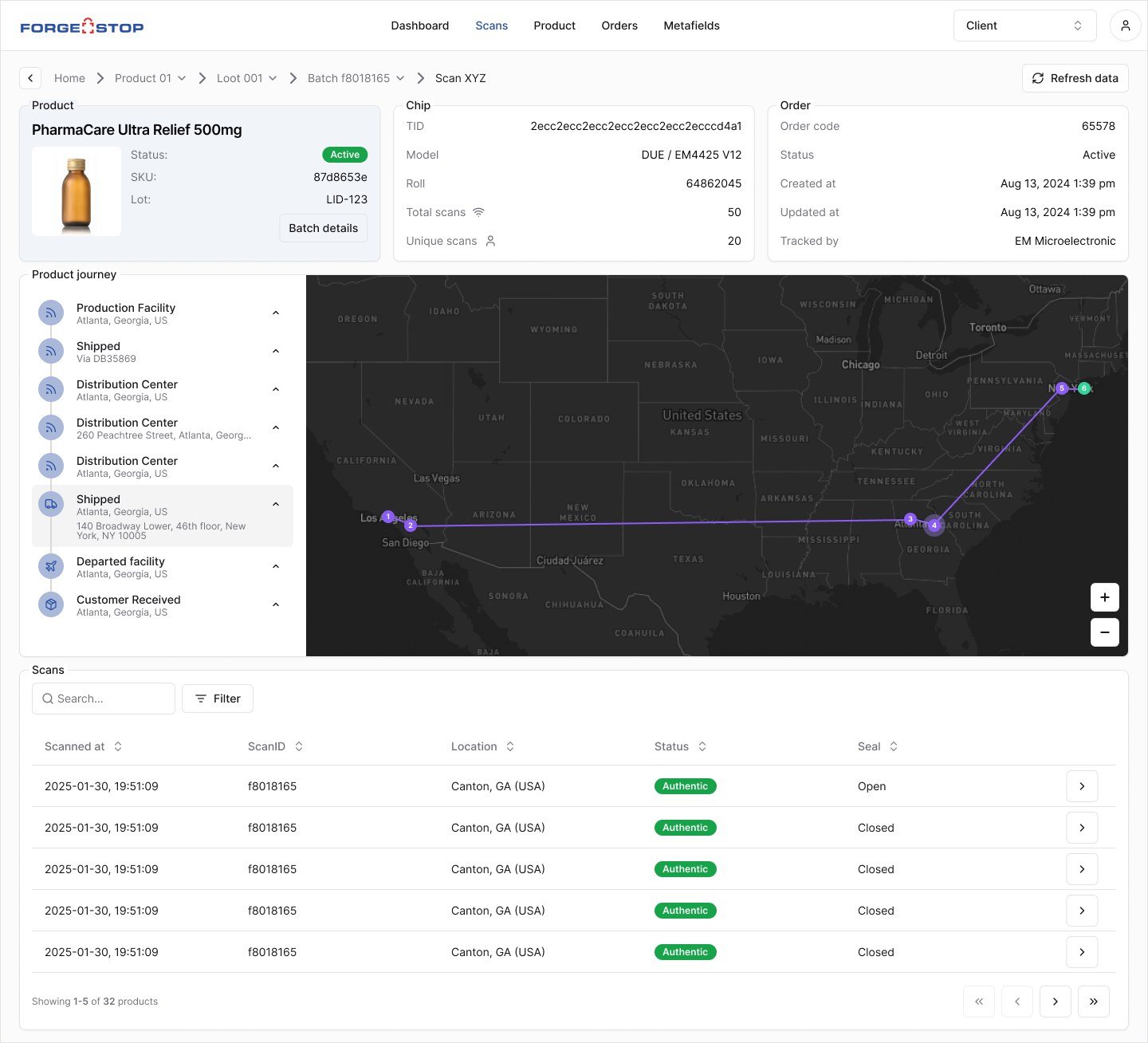
Every scan becomes a point on the map, from the factory to the distribution center to the consumer’s hand.
Digital passport
Carbon footprint, ESG score, certifications and materials for each batch, ready to show consumers.
01 The problem
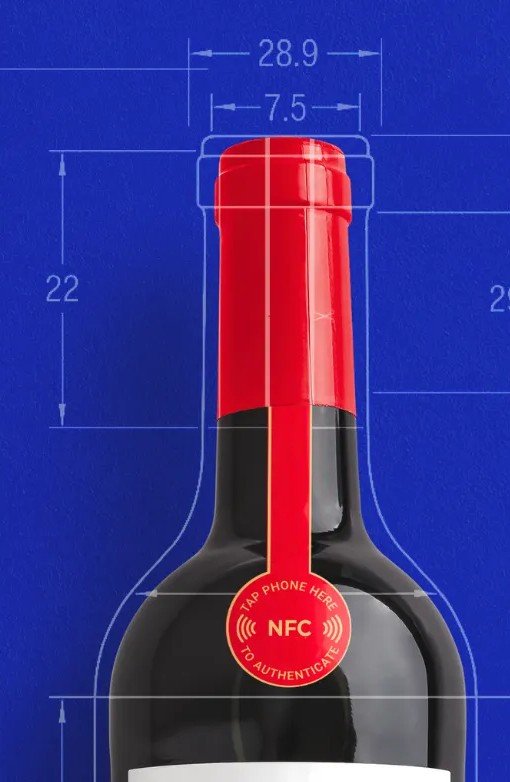
The seal
ForgeStop’s seal goes on a bottle’s neck or a medicine package. With a tap of the phone, it opens a page with the maker’s brand confirming where the product came from. Behind that page, every scan is logged with date, place and batch, and that log is what turns authentication into tracking.
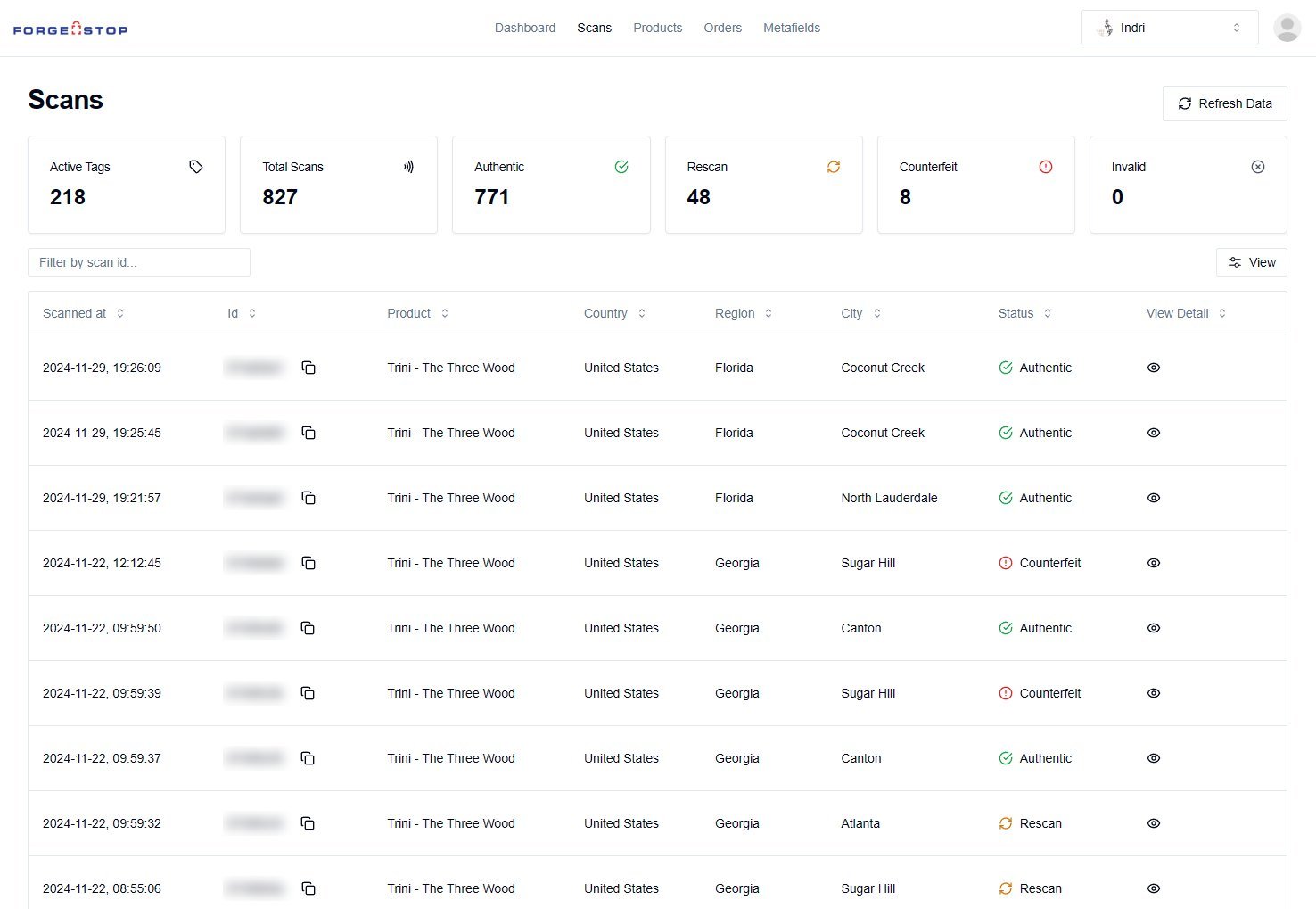
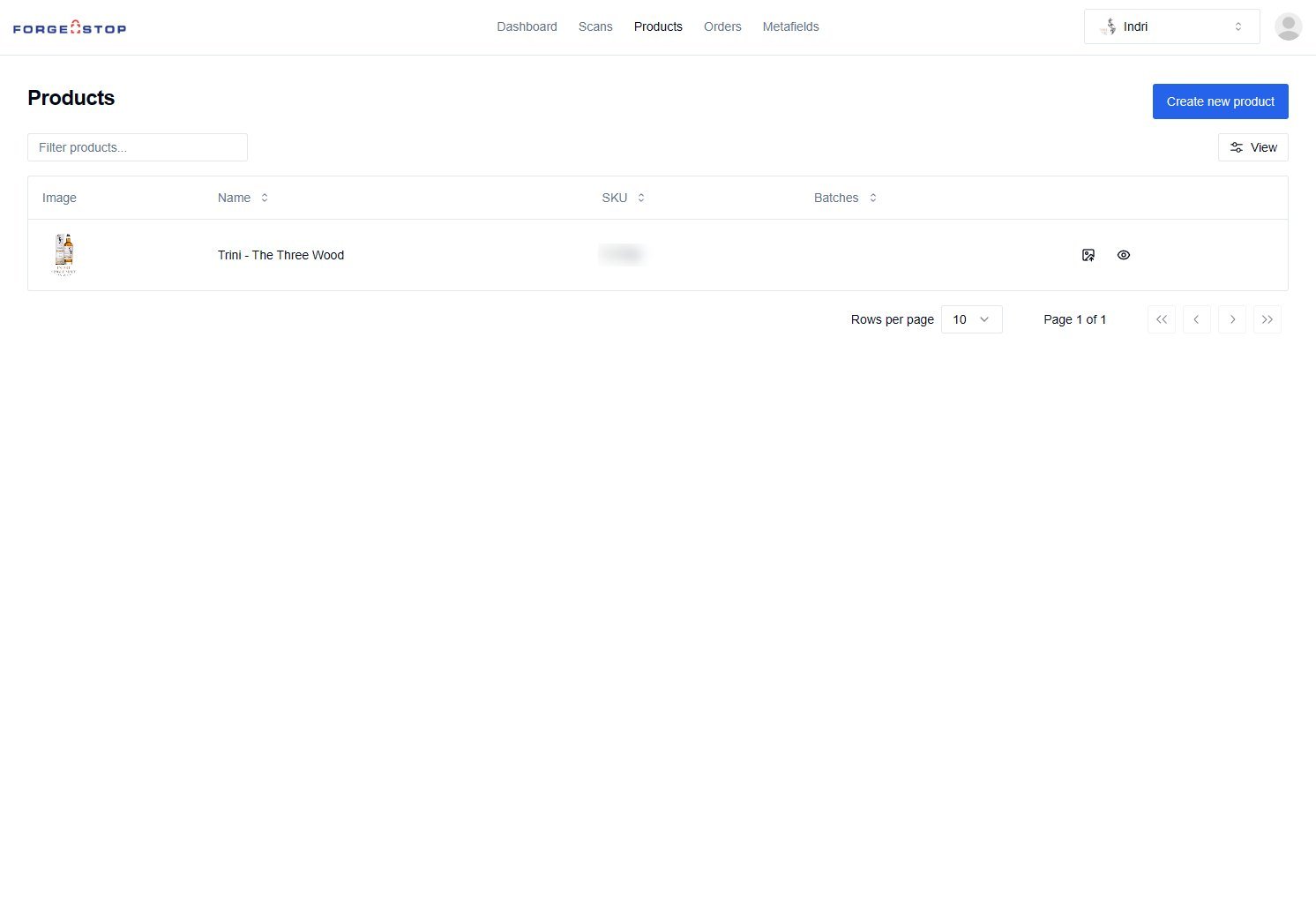
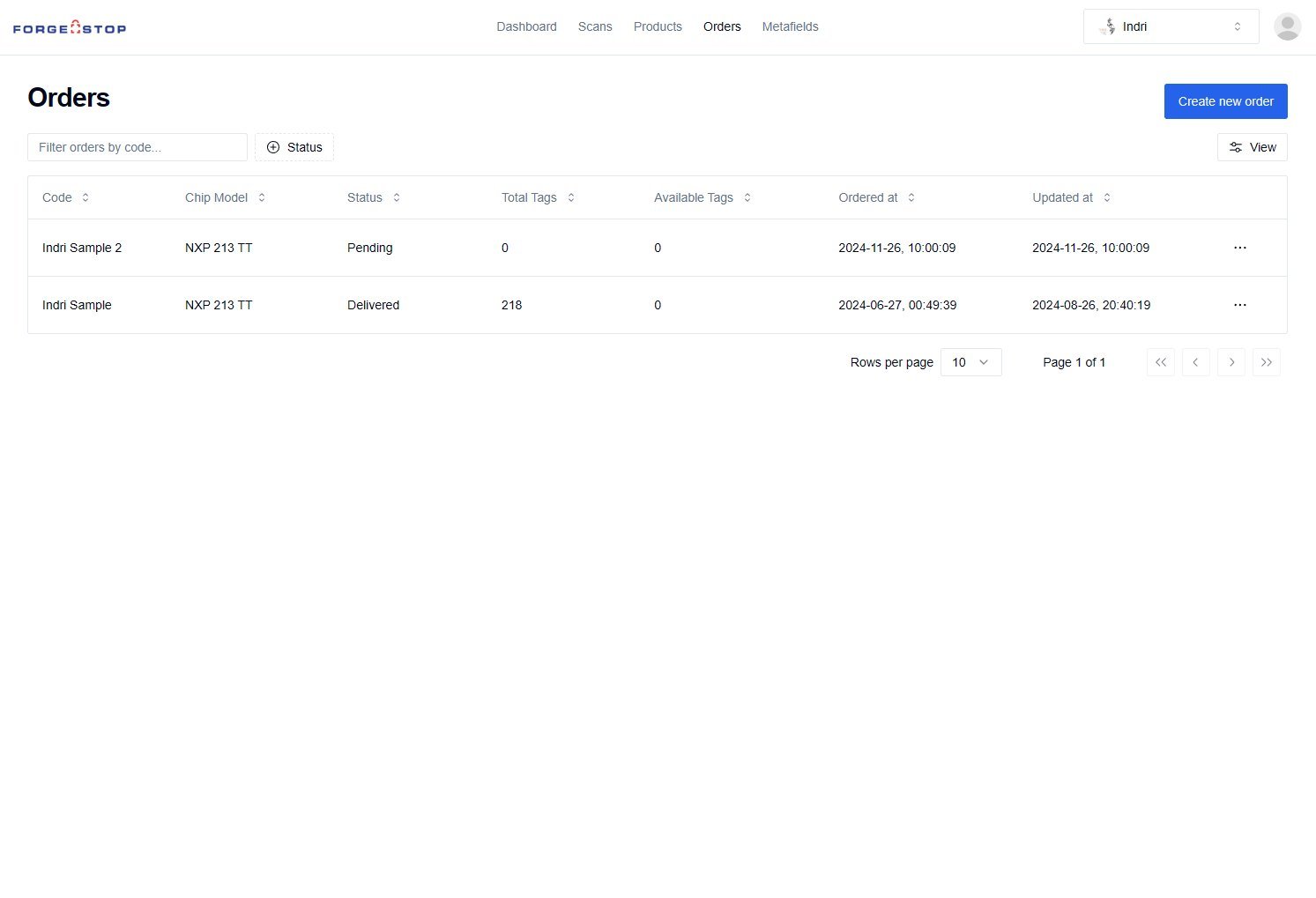
The starting point
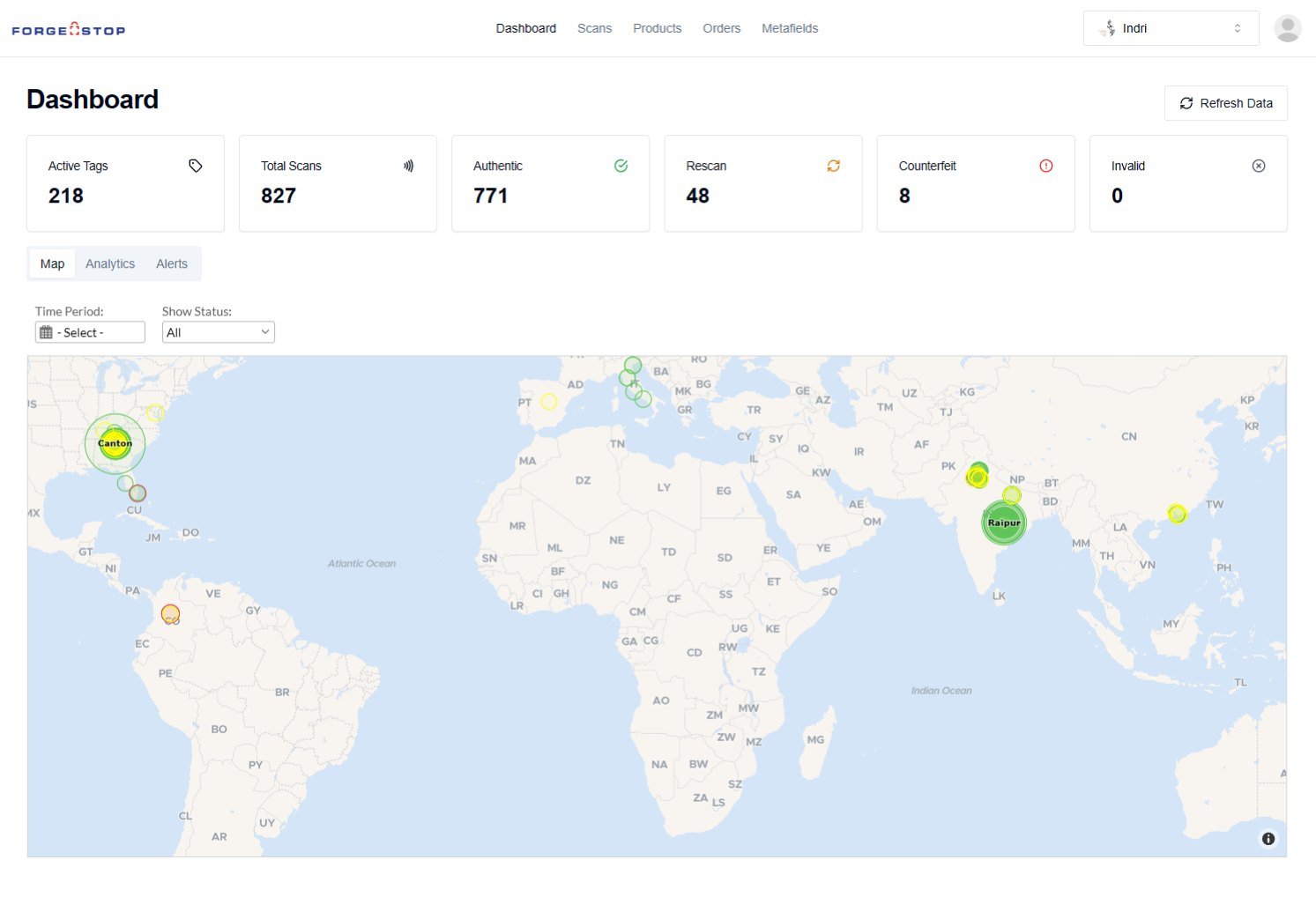
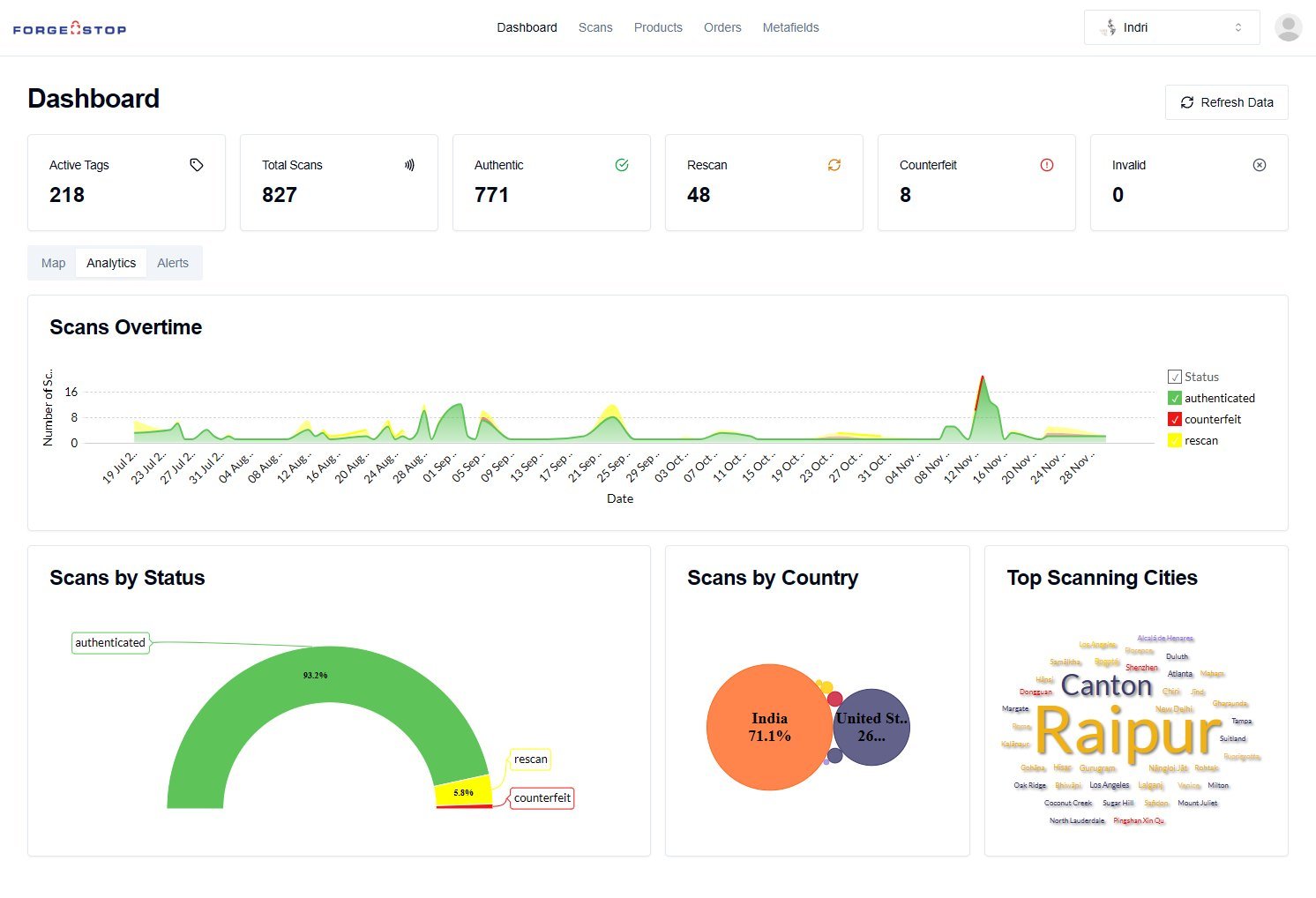
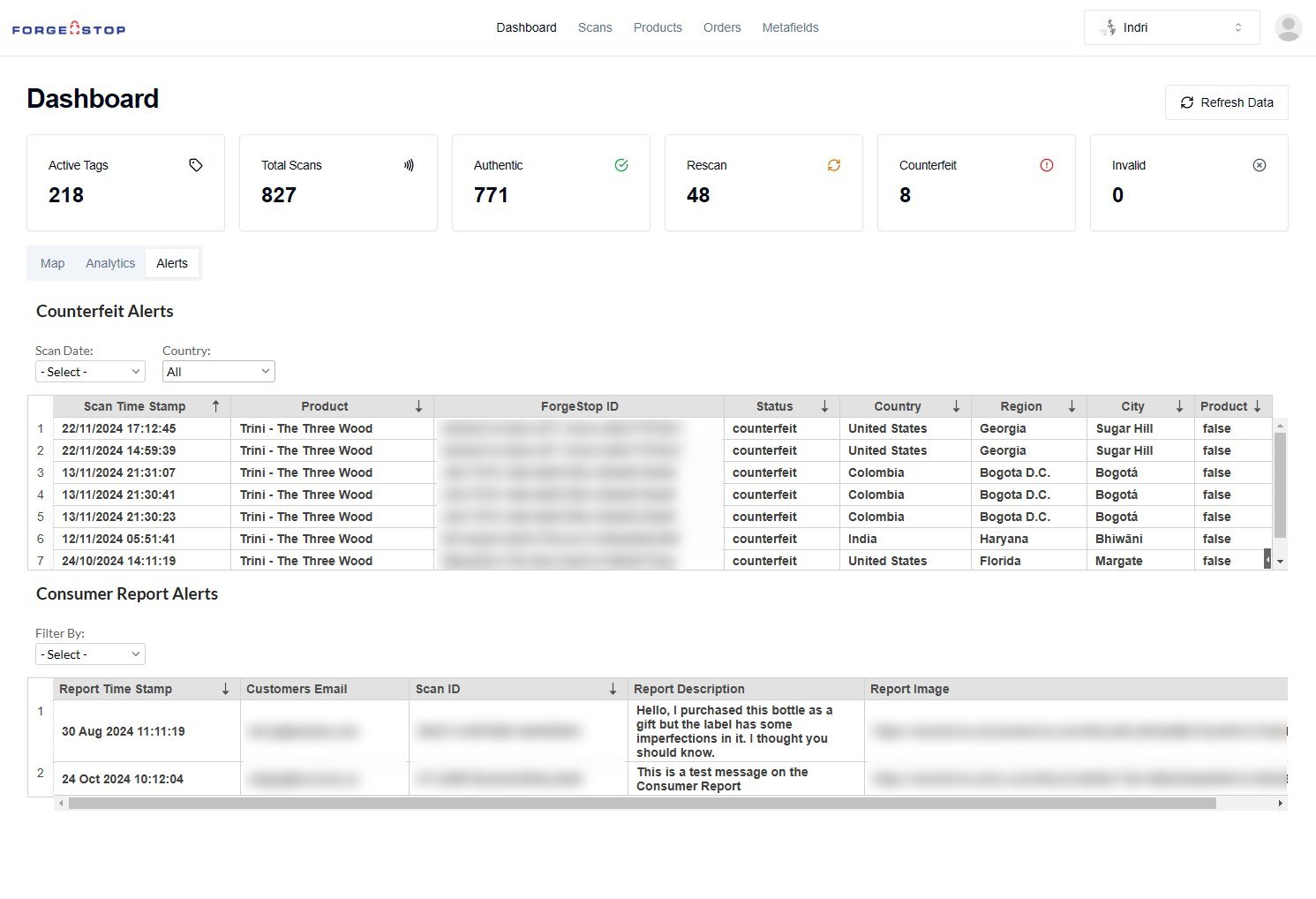
At the end of 2024, the platform already showed numbers, a scan map, charts and counterfeit alerts, but each lived in its own panel or table: dashboard, scans, products and orders. Brands had no way to customize what consumers saw, nor to see a product’s route or a batch’s state. To grow with pharma and drinks clients, ForgeStop needed the platform to tell each product’s story, not just store its data.
02 The process
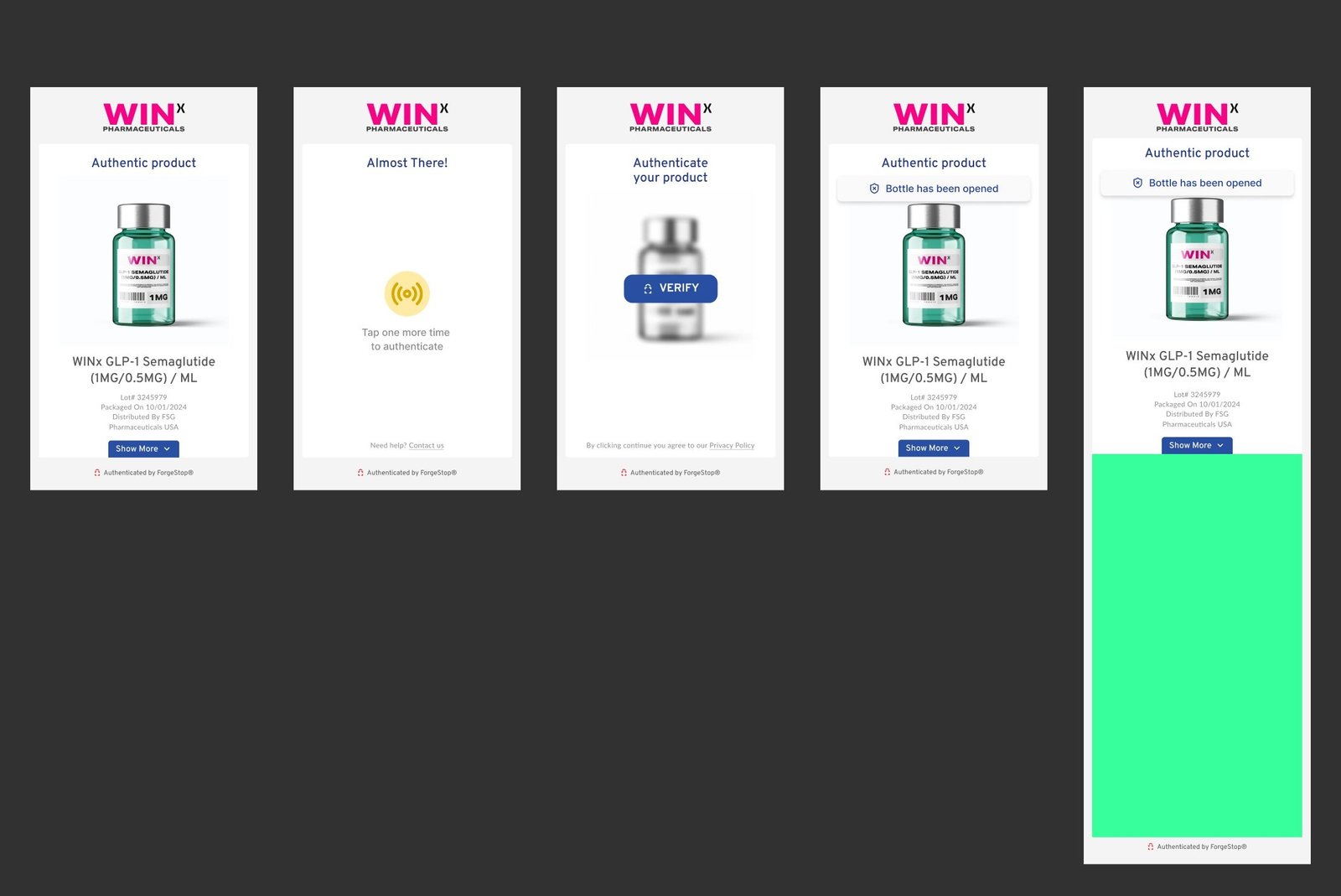
What the brand controls
Before designing the editor, we mapped the screens consumers see when they tap the seal: verify, authentic product, retry and opened package, plus the extra page that opens under "Show more". On each one, we marked what could change from brand to brand: background, main color, accent color, product name, body and description text. That map became the editor’s list of fields and made sure every combination stayed readable on a phone.
03 The solution
The template editor
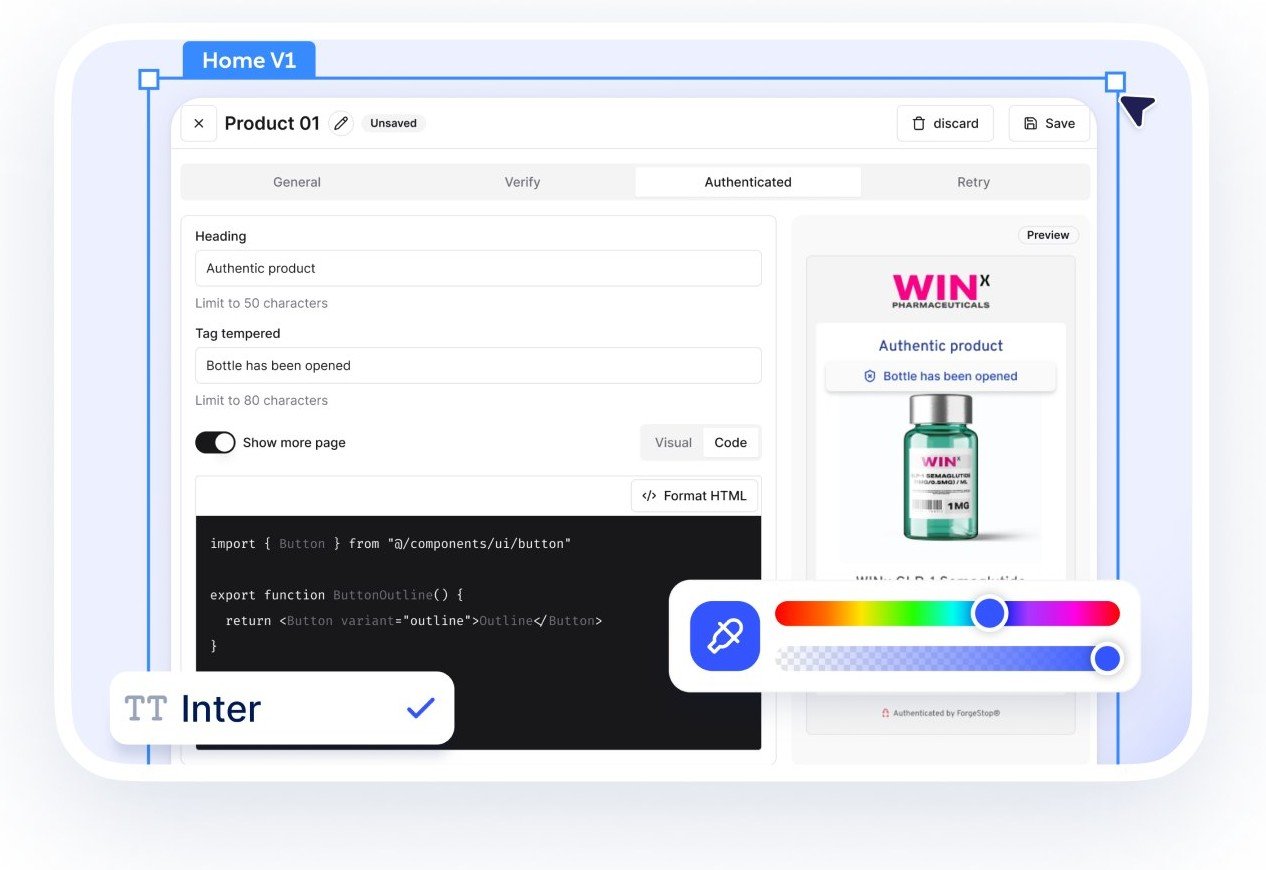
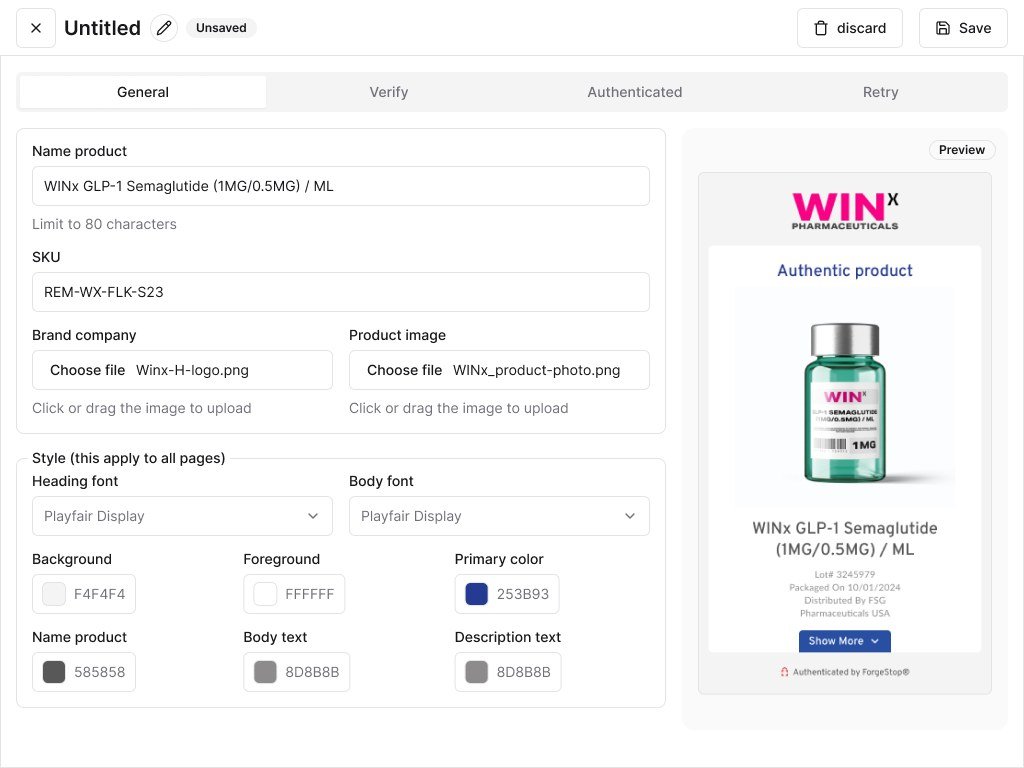
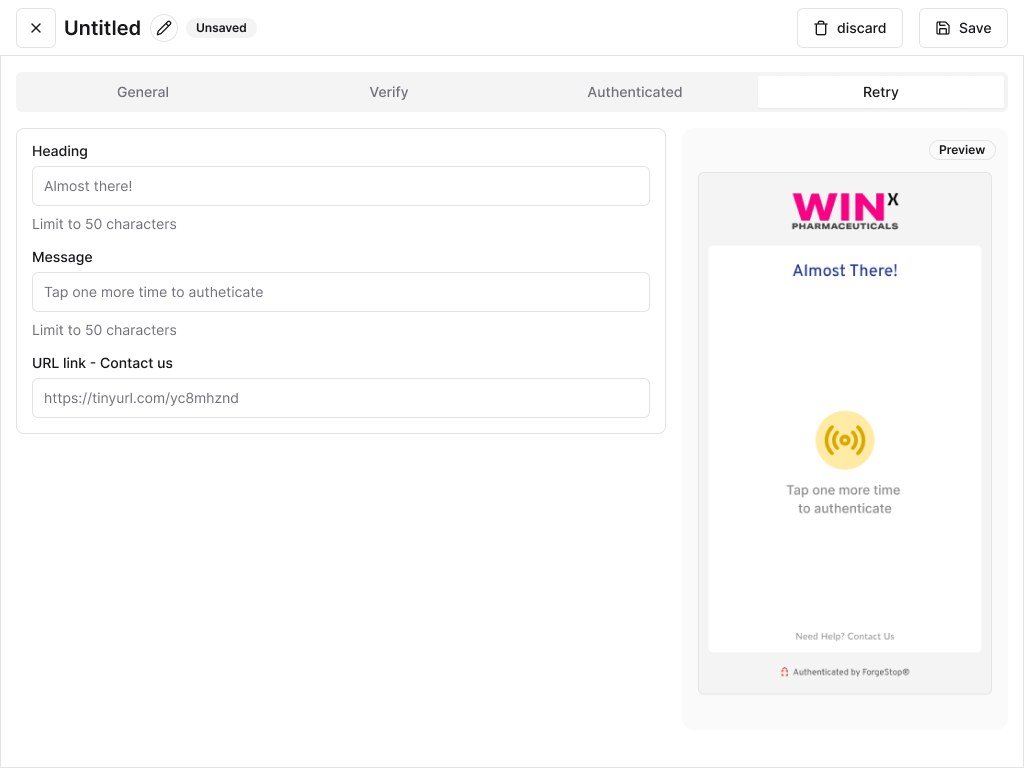
The editor organizes the experience in tabs, one per moment: General, Verify, Authenticated and Retry. In General, the brand sets the name, SKU, logo and product photo, cropped to the right ratio, the fonts and the six colors that apply to every screen. In the other tabs, it adjusts headings and messages, with character limits, the opened-package warning and the contact link. A preview alongside shows the screen as consumers will see it, and an optional extra page can be written in visual mode or in code.
Product, templates and batches
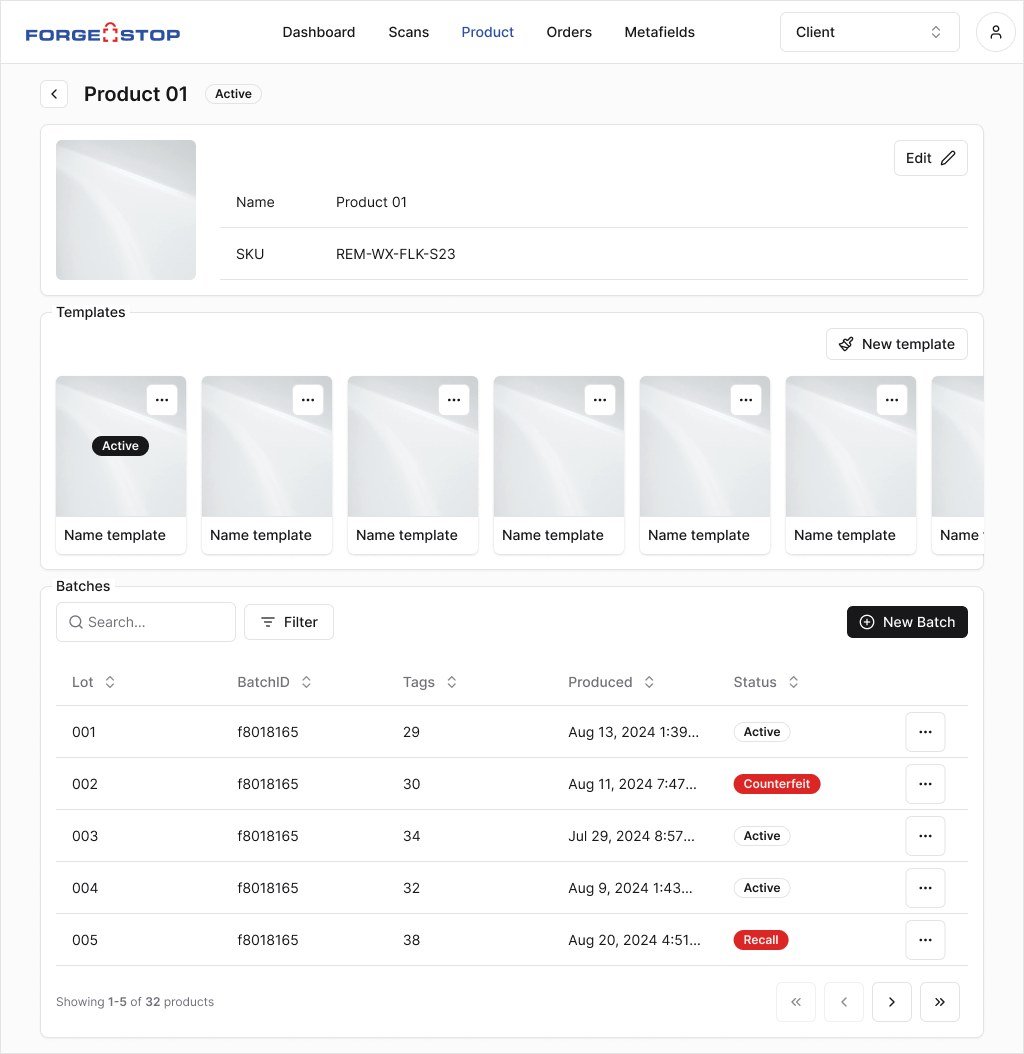
The product page now brings together everything that belongs to it. At the top, the basic data; in the middle, the templates built in the editor, with the active one highlighted, so brands can try versions without losing the live one; below, the batches, with search, filters and a clear status: active, counterfeit or recalled.
The batch and the digital passport
In the batch detail, the numbers come first: active tags, unique IDs and batch tags. Then come production data and attributes, such as alcohol content, export country and where the product may be sold. A new block, the digital passport, brings together carbon footprint, emissions per product, ESG score, certifications and packaging materials. Last comes the batch’s list of scans.
The journey of every scan
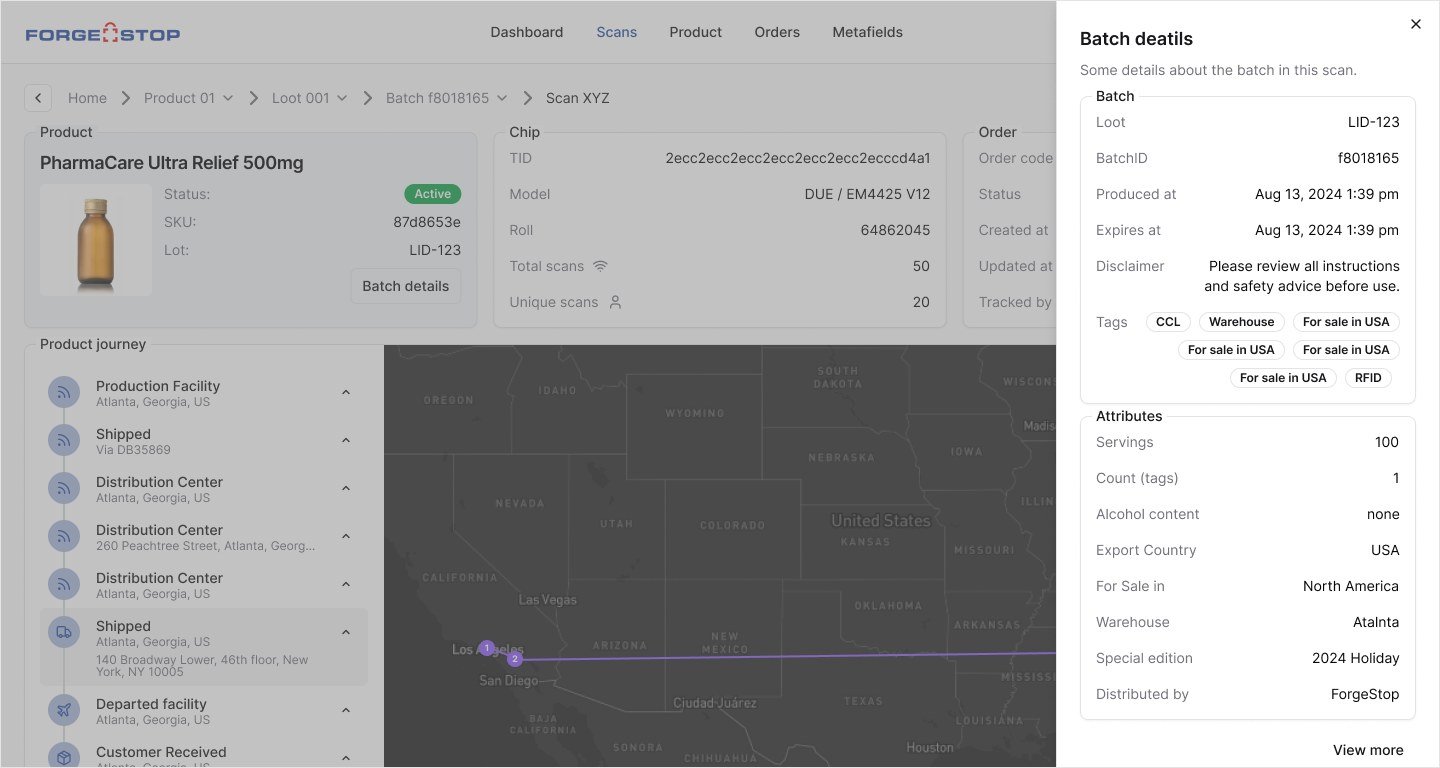
Each scan got its own page, with the product, the chip and the order side by side. The journey is told in a timeline and on a map with the route, from factory to consumer, so the brand can see whether a product strayed from its expected path. Batch details open in a side drawer without taking people off the screen, and the scan list shows where and when the seal was read and whether it was open or closed.
Results
The screens we designed are already live on the platform. The work covered parts of the product, precisely the most visible ones: configuring the consumer experience and tracking every product, batch and scan.
Impact
A platform that turns an authenticity seal into a complete history of every product.
Credits
- Product design
- Caio Colin